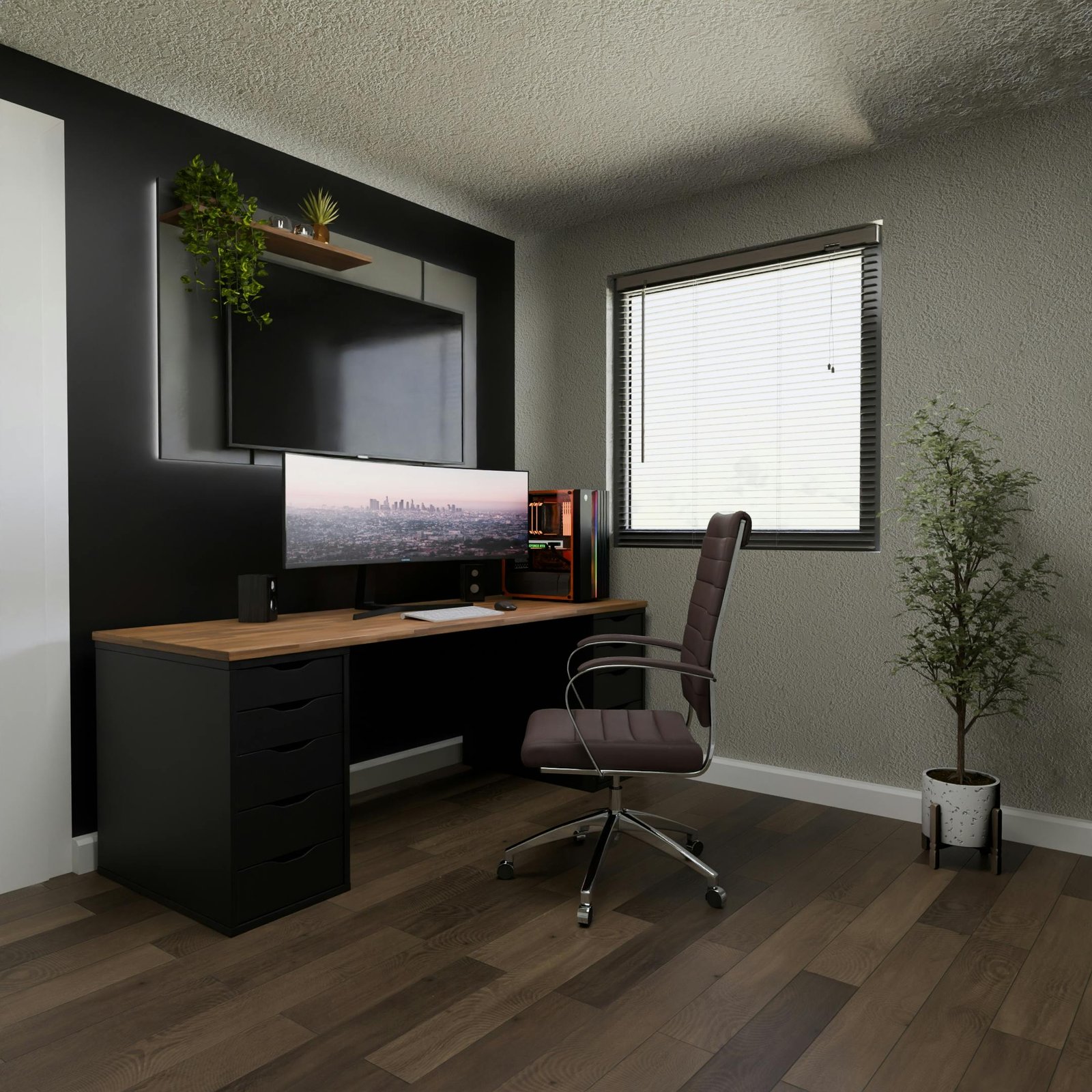
Introduction to Architectural Software
The role of software in architecture has become increasingly pivotal in recent years, as technology continues to influence various aspects of design, planning, and project management. Architects today rely on an array of architectural software tools to streamline their workflows, enhance creative processes, and improve efficiency in project execution. These advancements have not only transformed the practices within the architecture field but also have reshaped collaboration between architects, engineers, and clients.
Various types of software solutions are available to meet the distinct needs of architects and architectural firms. Some of the best software for architects includes computer-aided design (CAD) software, which is essential for creating precise and detailed architectural drawings. Additionally, 3D architecture software plays a crucial role in providing visualizations that help clients and stakeholders better understand the design intent. Moreover, architectural visualization software enables professionals to create immersive renderings that showcase projects even before ground-breaking.
Furthermore, the evolution of architecture software has led to the emergence of environment-specific applications catering to specialized tasks. For instance, software for architecture students typically focuses on learning tools that introduce foundational concepts of architectural design and drafting. On the other hand, advanced tools enhance productivity for seasoned professionals through complex modeling and real-time collaboration features.
As we delve deeper into the various categories of architecture software, such as the best architecture tools available today, it becomes clear that the impact of these technologies is profound. The ability to efficiently manage architectural projects through integrated software platforms represents a significant leap forward in the industry, greatly enhancing the overall quality and accuracy of architectural works.
Must-Have Features in Architectural Software
When selecting the best software for architects, it is crucial to consider various essential features that significantly impact the efficiency and effectiveness of the design process. One of the primary functionalities that architectural software must offer is Computer-Aided Design (CAD) capabilities. CAD software for architects allows professionals to create precise drawings and plans, making it a fundamental tool in any architect’s workflow. The use of CAD enhances accuracy and reduces the time required to produce detailed architectural designs.
Another important feature to look for is 3D modeling capabilities. 3D architecture software enables architects to visualize their projects more realistically. This feature not only helps in creating detailed geometries but also assists in communicating design ideas to stakeholders effectively. With powerful 3D modeling tools, architects can explore various design options and make informed decisions about their projects.
Moreover, rendering tools play a pivotal role in the architectural design process. Architectural visualization software enables designers to generate high-quality images of their models, facilitating a clearer understanding of how the final structure will appear. This is especially beneficial during presentations or client meetings, where visual representation can enhance persuasion and clarity.
In addition to design functionalities, collaboration tools are essential for teams working on complex projects. The best architecture tools allow for real-time collaboration, enabling several team members to work on the same project simultaneously, which fosters productivity and coordination. Furthermore, integrated project management functions can streamline workflows by helping architects keep track of timelines, deliverables, and budgets.
Lastly, cost estimation features should not be overlooked. These tools assist architects in predicting project costs accurately, facilitating better budgeting and financial planning. By incorporating these vital features into their practice, architects can leverage the full potential of architectural software, ultimately enhancing their workflow and project outcomes.
Top Software Picks for Architects
In the realm of architectural design, the selection of appropriate tools is essential for achieving high-quality outcomes. The following list highlights some of the best software for architects currently available, each with its unique strengths tailored to various project needs.
AutoCAD is arguably the most recognized CAD software for architects, providing comprehensive tools for 2D and 3D drafting. Its user-friendly interface and extensive library of features make it a staple for architectural design. AutoCAD is particularly valuable for professionals needing precision and efficiency in producing technical drawings and plans.
Revit stands out as a leading architectural design software known for its Building Information Modeling (BIM) capabilities. This software allows architects to create intelligent 3D models, improving collaboration across teams and resulting in better project coordination. Revit is best suited for large-scale projects where detailed modeling and accurate data are imperative.
SketchUp offers an intuitive interface that enables architects to quickly create 3D models. Its straightforward approach makes it an excellent choice for early-stage conceptualization. Moreover, with numerous plugins available, users can enhance its capabilities to include advanced rendering and visualization techniques, making it a favorite among architecture students and professionals alike.
Lumion excels as an architectural visualization software, allowing architects to bring their designs to life through stunning renderings and animations. This tool is particularly useful for presenting projects to clients and stakeholders, providing realistic visual experiences that traditional blueprints cannot match.
Archicad is another robust option, emphasizing BIM and offering excellent collaboration features, making it ideal for teams working on complex designs. Its ability to integrate multiple project elements seamlessly contributes significantly to workflow efficiency.
These software options highlight the best architecture tools available today, each catering to different aspects of architectural design from drafting and modeling to visualization, ensuring that architects are well-equipped to tackle their projects effectively.
Comparative Analysis of Popular Architectural Software
When selecting the best software for architects, it is essential to consider various factors, including features, pricing, and user experiences. Below, we compare several leading architecture software options, each with its unique offerings to cater to different professional needs.
AutoCAD, a staple in the realm of architectural design software, provides powerful CAD capabilities. Renowned for its precision, AutoCAD allows architects to create detailed 2D and 3D drawings efficiently. However, its pricing can be a barrier for some, as it is typically on the higher end. Users report a steep learning curve, though many appreciate its extensive resources for training.
Revit, often hailed as one of the best architecture tools for collaborative projects, specializes in Building Information Modeling (BIM). This software streamlines the architectural process, allowing for real-time updates on designs. Its pricing is comparable to AutoCAD, but its functionality is well-regarded for larger projects. Architects find Revit’s user interface intuitive, allowing them to optimize workflow and coordination with engineers.
SketchUp, known for its user-friendly interface, stands out as a preferred choice for 3D architecture software. With its free version available, it appeals to architecture students and budding designers. However, some professionals feel it lacks advanced features required for comprehensive architectural visualization.
Chief Architect is tailored specifically for residential design, making it an excellent choice for architects focusing on this niche. It offers numerous pre-designed templates and objects, simplifying the architectural design process. Pricing is competitive, though some users suggest it might not be as robust in commercial applications.
Lastly, Lumion is often regarded as a leading player in architectural visualization software, allowing for stunning rendering of designs in a fraction of the time required by other software. While its cost is on the higher side, architects value its ability to bring projects to life visually.
Overall, the variety of software for architecture students and professionals alike demonstrates the breadth of choices available. Each program has distinct advantages and disadvantages, making it crucial for users to identify their unique needs in architectural design software.
Evaluating Your Architectural Software Needs
Selecting the best software for architects involves a thorough understanding of your specific requirements and constraints. Begin by assessing the magnitude and complexity of your projects. For smaller projects, basic architecture software may suffice, while larger endeavors may demand more robust solutions like 3D architecture software or advanced architectural visualization software.
Team collaboration is another crucial factor. If you are working in a team setting, ensure that the software you choose facilitates seamless communication and data sharing. Some architecture software offers integrated project management features that can enhance teamwork, making it vital to consider how well these tools align with your team’s workflow.
Budgetary constraints should never be overlooked. While some architectural design software might be premium priced, there are often alternatives available that can deliver comparable functionality at a lower cost. It is advisable to investigate various pricing plans and look out for educational discounts if you are a student or part of an educational institution. This can be particularly beneficial when considering software for architecture students, as many institutions provide access to leading architectural tools.
Your familiarity with CAD software for architects or other technical tools also plays an essential role in the selection process. Evaluate whether the software requires steep learning curves or if it can be easily integrated into your existing skill set. Using demo versions or trial periods of different software can provide valuable insights into usability and functionality, helping you to gauge the right fit for your needs.
Overall, taking the time to analyze these factors will significantly boost your chances of selecting the optimal architecture software that meets your practical requirements while accommodating your professional goals.
Integrating architectural software with other tools is a powerful strategy that can enhance the efficiency and effectiveness of architectural practices. Many professionals in the architecture field use a variety of software applications to streamline their workflow, including BIM (Building Information Modeling) systems, project management programs, and graphic design tools. The best software for architects not only focuses on standalone capabilities but also offers the ability to seamlessly collaborate with these other platforms.
One of the primary benefits of integration is enhanced collaboration. For example, when a 3D architecture software is connected with BIM systems, architects can synchronize their designs with real-time data. This connection enables them to visualize how different architectural elements interact, leading to more informed design decisions and reducing the likelihood of costly changes later in the project lifecycle.
Furthermore, incorporating project management software allows architects to manage timelines, resources, and budgets more efficiently. The integration of this architecture software with management tools facilitates smooth communication among team members, ensuring everyone is on the same page. By utilizing software for architecture students who wish to incorporate these systems, academic programs can better prepare future professionals for the collaborative nature of the industry.
Moreover, linking architectural visualization software with graphic design tools can elevate the presentation of architectural proposals to clients. This can include rendered images and walkthroughs that elucidate the design intent, ultimately making it easier for stakeholders to grasp the project’s vision. With such tools, architects can produce high-quality visual content that not only demonstrates their design proficiency but also enhances client engagement.
In conclusion, integrating various architecture tools not only boosts productivity but also improves the overall quality of architectural projects. By leveraging the capabilities of the best architecture tools, architects can create cohesive workflows that elevate their designs to new heights.
Case Studies: Successful Use of Software in Architecture
In the evolution of architecture, software tools have had a significant impact on design processes, project management, and client engagement. This section will explore three notable case studies that exemplify how the best software for architects has streamlined workflows and enhanced project outcomes.
The first case study focuses on the design and construction of the Burj Khalifa in Dubai, UAE. The project utilized advanced architectural design software, which was crucial for managing the complexities associated with constructing the tallest building in the world. By employing Building Information Modeling (BIM), the design team effectively coordinated various engineering disciplines and facilitated real-time updates. This integration of architecture software allowed for enhanced collaboration, resulting in a remarkable completion time and adherence to budget constraints.
Another exemplary project is the California Academy of Sciences in San Francisco. This museum features an innovative green roof that harmonizes with its surrounding environment. The architects used 3D architecture software to visualize the building’s form and assess its environmental impact. The architectural visualization software enabled the team to experiment with different designs efficiently, ensuring the final structure was both aesthetically pleasing and sustainable. As a result, the project has received numerous accolades, proving the efficacy of these architecture tools in contemporary design practices.
Lastly, the Riyadh Metro project highlights the importance of CAD software for architects and engineers in large-scale urban infrastructure. Utilizing sophisticated simulation and planning tools, the project was delivered ahead of schedule while maintaining high safety standards. The ability to visualize complex transport interchanges through architectural visualization software allowed stakeholders to better grasp the project’s scope, ultimately facilitating smoother deliberations and decisions.
These case studies showcase the dynamic role of modern software for architecture students and professionals alike, emphasizing the necessity of integrating technology in the architectural design process. Through the implementation of the best architecture tools, architects can drive innovation and efficiency in their projects.
Future Trends in Architectural Software Development
The architectural software landscape is continuously evolving, driven by advancements in technology and the changing needs of architects and designers. One notable trend is the increasing utilization of Artificial Intelligence (AI) in architectural design software. AI tools can analyze vast datasets to generate intelligent design suggestions, automate routine tasks, and optimize project workflows. This technology is empowering architects to focus on creative aspects while leaving the more mundane aspects of design to automated systems.
Another significant trend is the integration of Virtual Reality (VR) and Augmented Reality (AR) within architectural visualization software. These immersive technologies allow clients and architects to engage with designs in a highly interactive environment. By visualizing projects in 3D and experiencing them in real time, architects can gather valuable feedback early in the design process, thus minimizing revisions and potential project delays.
Additionally, the rise of cloud-based architecture software is enhancing collaboration among project stakeholders. Cloud solutions allow multiple users to access, edit, and share architectural models seamlessly, which promotes teamwork and efficient communication. Such tools are critical for modern architecture firms that often involve multidisciplinary teams working simultaneously on complex projects.
In conclusion, the future of architectural software development is poised for significant innovations that will shape architectural practices. From AI-enhanced design functionalities to VR applications and sustainable solutions, these emerging trends are redefining how architects approach their work, ensuring that they remain adaptable and competitive in a rapidly changing field.
Conclusion and Recommendations
In the rapidly evolving field of architecture, selecting the best software for architects is paramount to enhancing both productivity and creativity. Throughout this guide, we have explored a variety of architectural design software options, each tailored to meet unique professional needs. From advanced CAD software for architects to intuitive 3D architecture software, the tools available today cannot only simplify complex processes but also facilitate stunning architectural visualization.
When choosing the appropriate architecture software, architects should consider several factors including usability, integration capabilities, and the specific requirements of their projects. Best architecture tools are those that not only support advanced design capabilities but also allow seamless collaboration between team members. Furthermore, architecture software must accommodate the growing demands of environmental sustainability and smart building technology.
Architecture students should prioritize software for architecture students that fosters their learning, such as industry-standard applications that are integral to contemporary practice. By embracing hands-on experience with architectural visualization software, students can prepare themselves for a competitive job market and familiarize themselves with the expectations of their future profession.
To remain relevant and effective, professionals must commit to continuous learning and staying updated with evolving software solutions. Regularly reviewing new updates, attending workshops, and participating in community forums can provide insights into the best software options for architects. As the architectural industry increasingly leans towards innovative technology, adapting to new tools and methodologies becomes essential for success.
Ultimately, the best software for architects is one that aligns with their specific project goals and enhances their design capabilities. By taking the time to evaluate different software solutions, architects can make informed decisions that elevate their work and drive innovation in the field.